
Picture this: you’re halfway through a tense season finale, the lights flicker, and suddenly your screen freezes. The buffer wheel of death appears. You didn’t lose power; you lost connection. For years, Wi-Fi has been the default way we connect our TVs and gaming consoles, but it’s not always reliable. Walls, distance, and interference from neighbors’ networks can turn your high-speed internet into a slideshow.
This is where powerline networking enters the chat. By using your home’s existing electrical wiring to transmit data, powerline adapters offer a wired-like connection without running Ethernet cables across every room. But does it actually work for streaming in 2026? Or is it just another tech gimmick that promises stability but delivers lag?
How Powerline Networking Actually Works
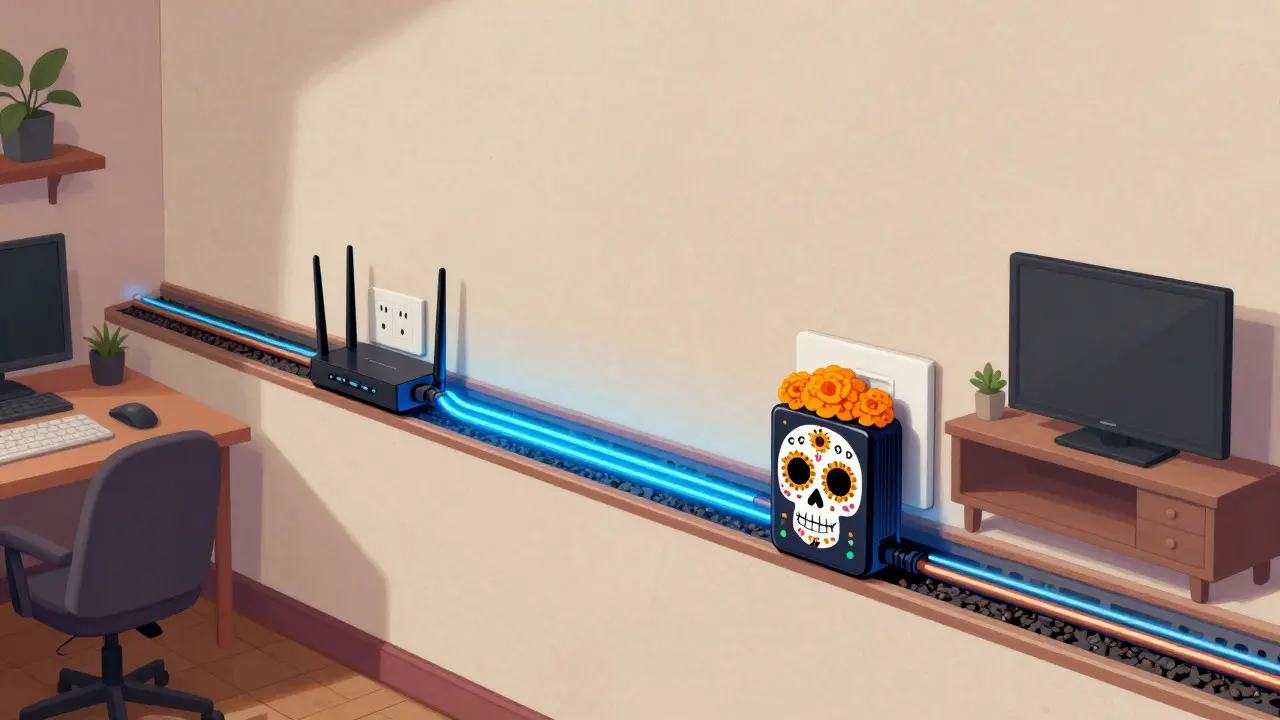
To understand if powerline adapters are right for you, you need to know what’s happening under the hood. Unlike Wi-Fi, which sends radio waves through the air, powerline technology sends data signals over the copper wires already inside your walls. These signals travel at high frequencies-usually between 2 MHz and 850 MHz-piggybacking on the standard 50Hz or 60Hz electricity supply.
You plug one adapter into an outlet near your router and connect it via Ethernet. Then, you plug a second adapter into an outlet near your TV or console. The two adapters communicate with each other through your home’s electrical circuit. It’s essentially creating a hidden Ethernet cable that runs through your walls.
Do powerline adapters slow down my electricity?
No. Data signals operate at much higher frequencies than standard electricity. They pass through appliances without affecting their performance or consuming significant extra power.
The Good: When Powerline Helps Your Stream
For many users, powerline adapters are a game-changer. If your living room is far from your modem, or if thick concrete walls block your Wi-Fi signal, these devices can provide a surprisingly stable connection. Here’s why they shine:
- Stability Over Speed: While peak speeds might look impressive on paper (like 1200 Mbps or 2400 Mbps), real-world throughput is often lower. However, the key benefit isn’t raw speed-it’s consistency. Streaming 4K video requires a steady bitrate of about 25-50 Mbps. Powerline connections rarely fluctuate like Wi-Fi does, meaning fewer buffers.
- No Interference: Wi-Fi suffers from congestion. In apartment buildings, dozens of networks compete for the same airwaves. Powerline signals stay within your home’s wiring, immune to neighbor interference.
- Easy Setup: You don’t need to drill holes or fish cables behind baseboards. Just plug them in, press a pair button, and you’re connected. Most modern adapters support AVDECA encryption, ensuring only your devices talk to each other.
In Auckland, where older homes often have complex layouts and thick insulation, I’ve seen powerline adapters rescue dead zones that mesh Wi-Fi systems couldn’t penetrate. If your primary goal is watching Netflix, Disney+, or YouTube without interruption, powerline is often superior to weak Wi-Fi.
The Bad: When Electrical Wiring Hurts Performance
It’s not all smooth sailing. Powerline technology has inherent weaknesses that can ruin your experience if your home’s electrical setup isn’t ideal. Here’s when it falls short:
- Circuit Breakers Are Enemies: Powerline signals struggle to cross circuit breakers. If your router is on one circuit and your TV is on another, the signal may drop significantly or disappear entirely. Always check that both outlets are on the same electrical phase.
- Noisy Appliances: Devices with switching power supplies-like LED drivers, dimmer switches, laptop chargers, and smart thermostats-create electrical noise. This noise interferes with data transmission, causing packet loss and latency spikes. Plugging adapters directly into wall sockets (not power strips) is crucial.
- Old Wiring: Homes built before the 1990s often have aluminum wiring or degraded copper. These materials attenuate high-frequency signals more than modern copper, leading to slower speeds and instability.
If you live in a large house with multiple sub-panels, or if your entertainment center is plugged into a strip with a surge protector (which filters out data signals too), powerline might hurt more than help.
Speed vs. Stability: What Matters for Streaming?
Let’s clear up a common misconception: speed isn’t everything. A Wi-Fi connection showing 300 Mbps might seem faster than a powerline link showing 100 Mbps. But if that Wi-Fi signal drops to 50 Mbps every time the microwave turns on, your stream will buffer. Powerline prioritizes low jitter and consistent latency.
| Feature | Wi-Fi 6/6E | Powerline Adapter |
|---|---|---|
| Peak Speed | High (up to 9.6 Gbps theoretical) | Moderate (up to 2.4 Gbps theoretical) |
| Real-World Consistency | Variable (affected by walls, distance) | Stable (if on same circuit) |
| Latency (Ping) | Higher (20-50ms typical) | Lower (5-15ms typical) |
| Interference Resistance | Low (crowded spectrum) | High (isolated to wiring) |
| Setup Complexity | Low | Low |
For 4K streaming, you need reliability, not gigabit speeds. A stable 50 Mbps connection via powerline will outperform a fluctuating 300 Mbps Wi-Fi link every time.
Choosing the Right Adapter in 2026
Not all powerline adapters are created equal. The industry has moved past the old HomePlug AV1 standard. Today, you should look for these features:
- G.hn Standard: This newer protocol offers better range and speed than legacy HomePlug. Look for labels like "G.hn compatible" or "AV2."
- Dual-Band Support: Some adapters combine powerline with Wi-Fi 6, allowing you to extend your wireless network while maintaining a wired backbone.
- Pass-Through Outlets: Since you’ll be plugging these directly into walls, models with additional USB ports or spare AC outlets save valuable socket space.
Avoid cheap, no-name brands. Reputable manufacturers like TP-Link, Netgear, and Devolo invest in better signal processing chips that handle electrical noise more effectively. In New Zealand, ensure the plugs fit Type I outlets and comply with AS/NZS standards for safety.

Troubleshooting Common Issues
If your powerline connection feels sluggish, try these fixes:
- Bypass Surge Protectors: Plug adapters directly into the wall. Surge protectors filter out high-frequency data signals along with spikes.
- Check Circuit Alignment: Use a multimeter or consult an electrician to confirm both outlets are on the same phase. If not, consider moving the adapter to a different room.
- Update Firmware: Manufacturers release updates to improve compatibility and reduce noise sensitivity. Check the companion app or website.
- Isolate Noisy Devices: Unplug nearby electronics like phone chargers or LED lamps temporarily to see if performance improves.
Final Verdict: Is It Worth It?
Powerline networking isn’t perfect, but it solves a specific problem: delivering stable internet to rooms where Wi-Fi fails. If you’re tired of buffering during peak hours, or if your home’s layout makes wireless connectivity unreliable, powerline adapters are a cost-effective solution. They won’t replace fiber optic Ethernet for hardcore gamers or content creators needing massive bandwidth, but for streaming movies, shows, and music, they deliver exactly what matters: uninterrupted playback.
Before buying, test your home’s electrical compatibility. Start with a basic kit, verify stability, and upgrade only if needed. In the world of home networking, sometimes the simplest path is through the walls-not the air.
Can I use powerline adapters for online gaming?
Yes, but with caveats. Powerline offers lower latency than Wi-Fi, which helps reduce lag. However, competitive gamers requiring ultra-low ping (<10ms) should still prefer direct Ethernet. Casual gamers will find powerline sufficient.
Do powerline adapters work across different phases?
Performance degrades significantly across different electrical phases. For best results, keep adapters on the same circuit breaker panel. Some advanced kits include a repeater to bridge phases, but success varies by home wiring.
Are powerline adapters secure?
Modern adapters use AES-128 or AES-256 encryption. Pressing the paired button locks communication between your devices, preventing neighbors on the same building wiring from accessing your data.
How many powerline adapters can I use?
Most systems support up to 16 nodes. Each additional adapter shares the total bandwidth, so plan accordingly. Avoid mixing different brands unless they explicitly state compatibility.
Will powerline adapters damage my electronics?
No. They are designed to coexist safely with household appliances. Certified products meet strict electromagnetic compatibility (EMC) standards to prevent interference with sensitive equipment.
