
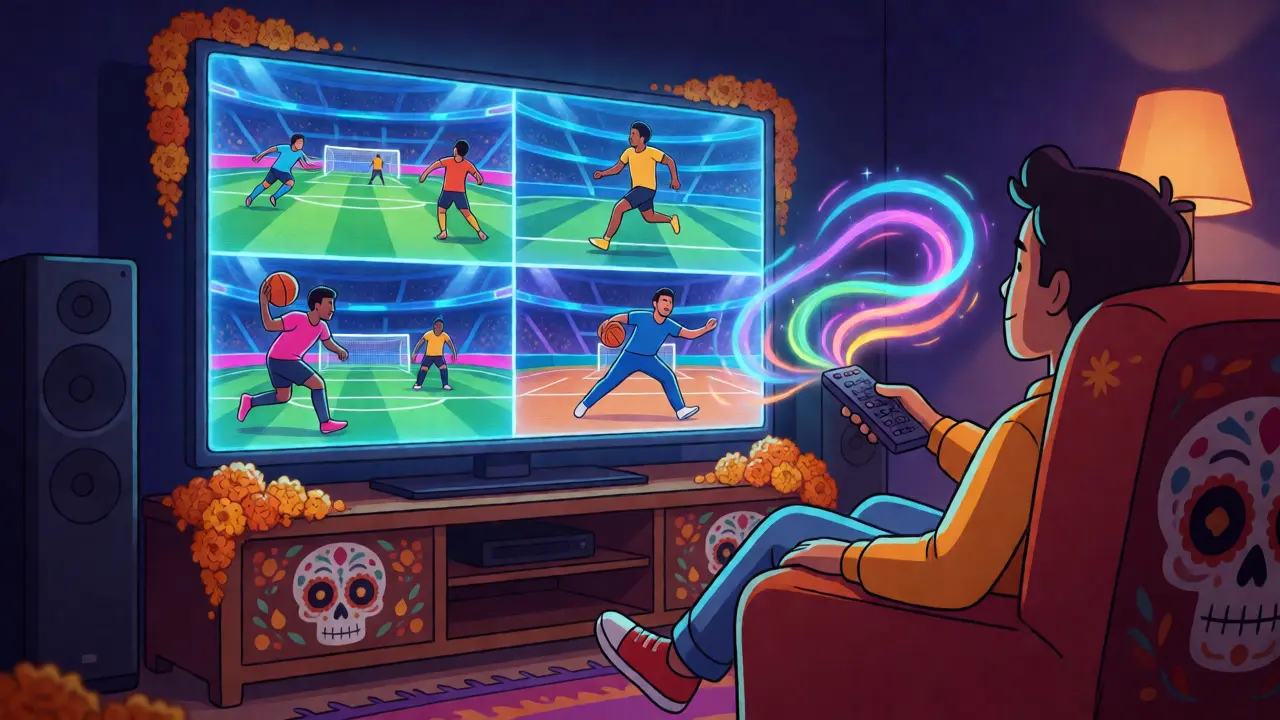
You know the feeling. It’s Sunday afternoon, the weather is perfect, and you have three different leagues kicking off within an hour of each other. The Premier League match starts at 2 PM, the NFL game kicks off at 4:20 PM, and your local cricket final begins at 5 PM. If you’re stuck with a traditional cable box or a basic single-stream app, you are forced to make a painful choice: sacrifice one game for another, or spend half the day flipping channels and missing crucial goals, touchdowns, or wickets.
This is where Multi-View Sports Streams changes the game entirely. Unlike standard video playback that locks you into one feed, multi-view technology allows you to display two, four, or even more live sports events simultaneously on a single screen. It turns your living room TV or laptop into a command center for all things sports. But it’s not just about having tiny boxes on your screen; it’s about bandwidth management, platform compatibility, and choosing the right service that actually supports this feature without buffering every thirty seconds.
| Platform | Max Simultaneous Feeds | Best For | Cost Tier |
|---|---|---|---|
| FuboTV | Up to 10 (via Multiview add-on) | Soccer & International Sports | Premium |
| NFL Sunday Ticket | Up to 8 (RedZone + Game Pass) | American Football | High |
| YouTube TV | Up to 3 (Multiview beta/feature) | NBA & MLB Coverage | Mid-High |
| ESPN+ / Disney Bundle | Varies by device/app update | College Sports & UFC | Low-Mid |
How Multi-View Technology Actually Works
At its core, multi-view isn’t magic-it’s data engineering. When you enable multi-view on a platform like FuboTV, the app doesn’t just show you one high-definition stream. Instead, it requests multiple lower-bitrate video feeds from the server simultaneously. This requires your internet connection to handle several streams at once, which means your bandwidth requirements jump significantly compared to watching a single 4K movie.
Think of it like opening ten tabs in your web browser versus one. Each tab consumes memory and processing power. Your smart TV or streaming stick has to decode these multiple video signals in real-time. If your hardware is older-say, a Smart TV from 2019-you might experience lag or dropped frames because the processor can’t keep up with decoding four separate H.264 or HEVC video streams concurrently. Newer devices with dedicated video decoders handle this much better, keeping the action smooth across all panels.
The interface usually lets you drag and drop games. You might want the main NFL game in the largest quadrant, while keeping the score bug of the NBA game visible in the corner. Some advanced platforms allow audio switching, so you can listen to the commentary of the game you’re focusing on while seeing the visuals of others. This spatial arrangement is critical for usability; if the scores are too small to read, the feature becomes useless clutter rather than a helpful tool.
Bandwidth and Internet Speed Requirements
Before you rush out to buy a premium subscription, check your internet speed. A standard HD sports stream typically uses between 5 Mbps and 8 Mbps. When you stack four streams together, you are looking at a demand of 20 Mbps to 32 Mbps sustained download speed. And that’s assuming the network is stable. If you share this connection with family members who are streaming Netflix or downloading large files, you will hit bottlenecks quickly.
Here is a quick rule of thumb for multi-view setups:
- Two Streams: Minimum 15 Mbps recommended.
- Four Streams: Minimum 30 Mbps recommended.
- Six or More Streams: Minimum 50 Mbps+ and ideally fiber-optic connectivity.
Latency matters here too. In sports, being three seconds behind the play is annoying when watching one game. When watching four, it’s disorienting. Ensure your router supports Quality of Service (QoS) settings that prioritize traffic from your streaming device over other home devices. Without this, a sudden spike in network usage elsewhere in the house could freeze your primary game feed mid-play.

Choosing the Right Platform for Your Sport
Not all sports benefit equally from multi-view. American football is the gold standard because games are frequent, overlapping, and often decided by specific matchups happening simultaneously. Soccer works well for league tables where you want to track goal differences across multiple matches. However, individual sports like tennis or golf are less suited for multi-view unless you are tracking a specific player’s progress against others in a tournament bracket.
If you are primarily a soccer fan, FuboTV remains the leader in this niche. Their "Multiview" feature allows you to watch up to ten different matches at once, though the quality drops as you add more feeds. They optimize for European leagues, making it ideal for Saturday afternoons when the Premier League, La Liga, and Serie A all run concurrently. The ability to switch audio tracks per feed is a standout feature, letting you hear the local crowd noise from one stadium while listening to English commentary from another.
For basketball fans, YouTube TV has been expanding its multi-view capabilities, particularly during playoff seasons. While their standard plan limits simultaneous streams, their higher-tier packages often unlock the ability to view multiple NBA games side-by-side. This is particularly useful during the regular season when dozens of games happen at the same time, and you want to catch highlights from a close game in Boston while watching the Lakers dominate in Los Angeles.
Hardware Considerations: TVs, Apps, and Devices
Your software choice is only half the battle. The device delivering the content must support the multi-view UI properly. Smart TVs with built-in apps (like Samsung Tizen or LG WebOS) generally offer the best integration because they have dedicated processing power for graphics overlays. Using a mobile phone or tablet for multi-view can be cramped; reading scores on a 6-inch screen while trying to follow a fast-paced game is a recipe for eye strain.
Streaming sticks like the Apple TV 4K or Roku Ultra perform well, but you need to ensure your firmware is up to date. Developers frequently patch bugs related to audio synchronization in multi-view modes. A common issue users report is audio desync, where the sound from Game A lags behind the video by half a second, breaking immersion. Keeping your apps updated minimizes this risk.
Another consideration is screen size. Multi-view shines on screens 55 inches and larger. On smaller monitors, the quadrants become too small to discern player movements or referee calls. If you are using a PC monitor, consider using ultrawide displays which provide extra horizontal space, allowing for a more natural layout of vertical video feeds without excessive black bars.
Tips for Managing Audio and Focus
The biggest complaint with multi-view is audio chaos. Hearing four commentators talking at once is overwhelming. Most modern platforms address this by muting non-primary feeds by default. However, you should familiarize yourself with the remote controls or touch interfaces that allow instant audio toggling. Practice switching focus before the big moment arrives. There is nothing worse than realizing the winning goal was scored in the muted corner of your screen because you were distracted by the wrong game.
Use picture-in-picture (PiP) features wisely. Some devices allow you to pin one main game in full screen while keeping a secondary game in a floating window. This hybrid approach is often less taxing on your brain than a grid of equal-sized tiles. It helps maintain narrative continuity in the primary game while providing context from the secondary event.
Finally, manage your expectations regarding resolution. To fit four streams on one screen, platforms often downscale the video quality to 720p or even 480p per tile. Do not expect 4K clarity in every quadrant. Prioritize frame rate over resolution; smoother motion is more important for following a ball or puck than pixel-perfect sharpness.
Do I need a special internet plan for multi-view streaming?
You don't necessarily need a "special" plan, but you do need sufficient bandwidth. Standard broadband plans offering 50 Mbps or higher are recommended for viewing four or more games simultaneously. Fiber-optic connections are ideal because they provide symmetrical upload/download speeds and lower latency, which prevents buffering when multiple devices are active in the household.
Which streaming service offers the best multi-view experience for soccer?
FuboTV is widely considered the best option for soccer fans due to its extensive coverage of international leagues and its robust Multiview feature that supports up to ten concurrent streams. Other services like ESPN+ may offer some multi-game options, but Fubo's interface is specifically designed around soccer scheduling conflicts.
Can I use multi-view on my smartphone?
Yes, most major sports streaming apps support multi-view on iOS and Android devices. However, the user experience is limited by screen size. It is best used for checking scores or watching low-intensity games. For detailed analysis or fast-paced sports, a tablet or desktop monitor provides a much better experience.
Does multi-view increase battery drain on mobile devices?
Significantly. Decoding multiple video streams requires more CPU and GPU power, which accelerates battery consumption. Expect your device to heat up faster and lose charge roughly twice as fast as when watching a single stream. It is advisable to keep your device plugged in during extended multi-view sessions.
Is there an extra cost for multi-view features?
It depends on the provider. Some services include basic multi-view in their base package, while others require a premium tier or an add-on fee. For example, certain NFL Sunday Ticket tiers include RedZone and multi-game views, whereas FuboTV may require a specific plan upgrade to unlock the maximum number of simultaneous streams.
